Open and pay PDF invoices directly in the app
You can now pay invoices in PDF format even faster. Simply open the invoice with the ZugerKB Banking app. The beneficiary's details are automatically imported and transferred to the payment entry screen.
1
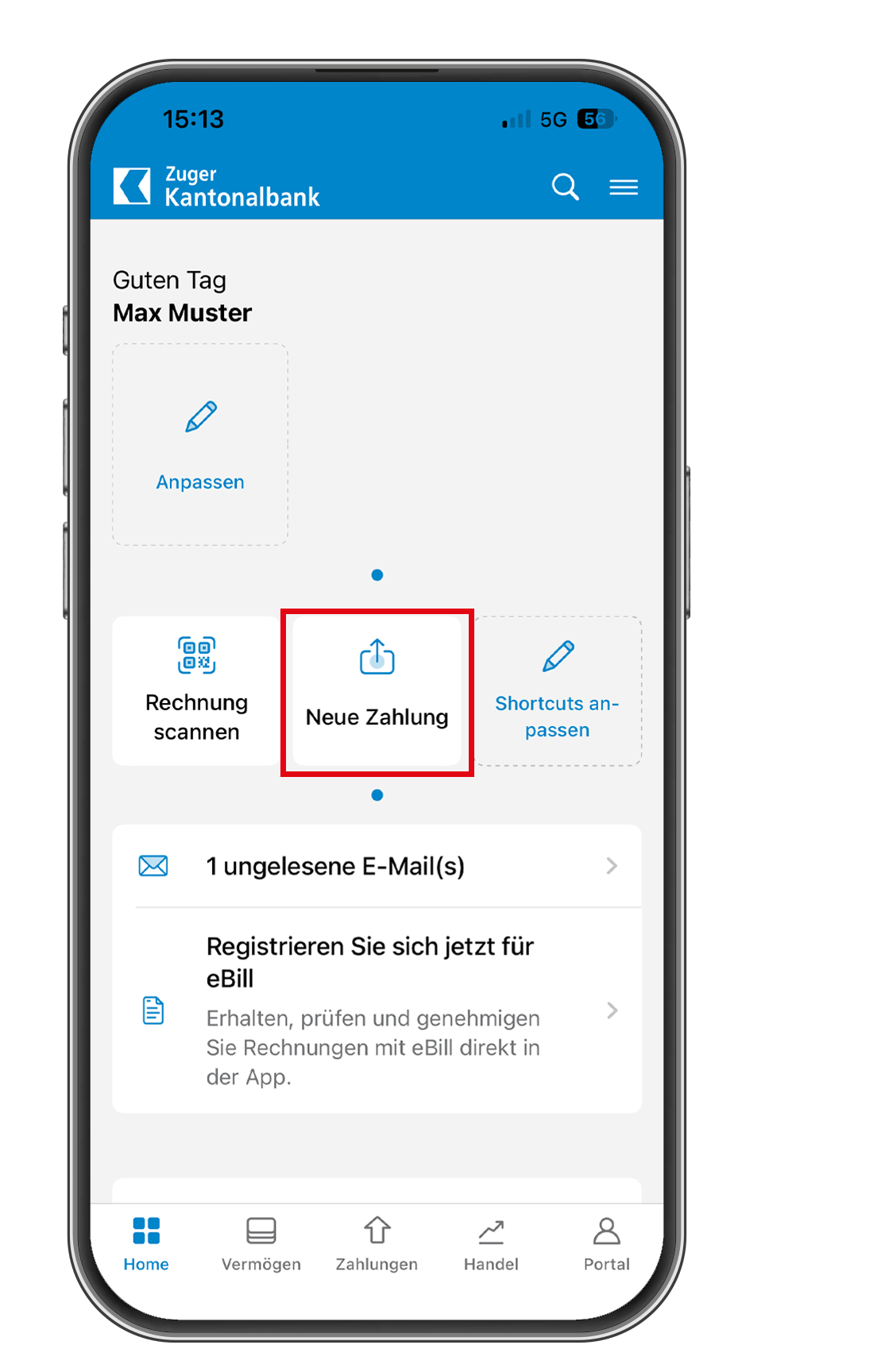
Select “New payment”
Open the ZugerKB Banking app, log in, and click on “New payment.”
2
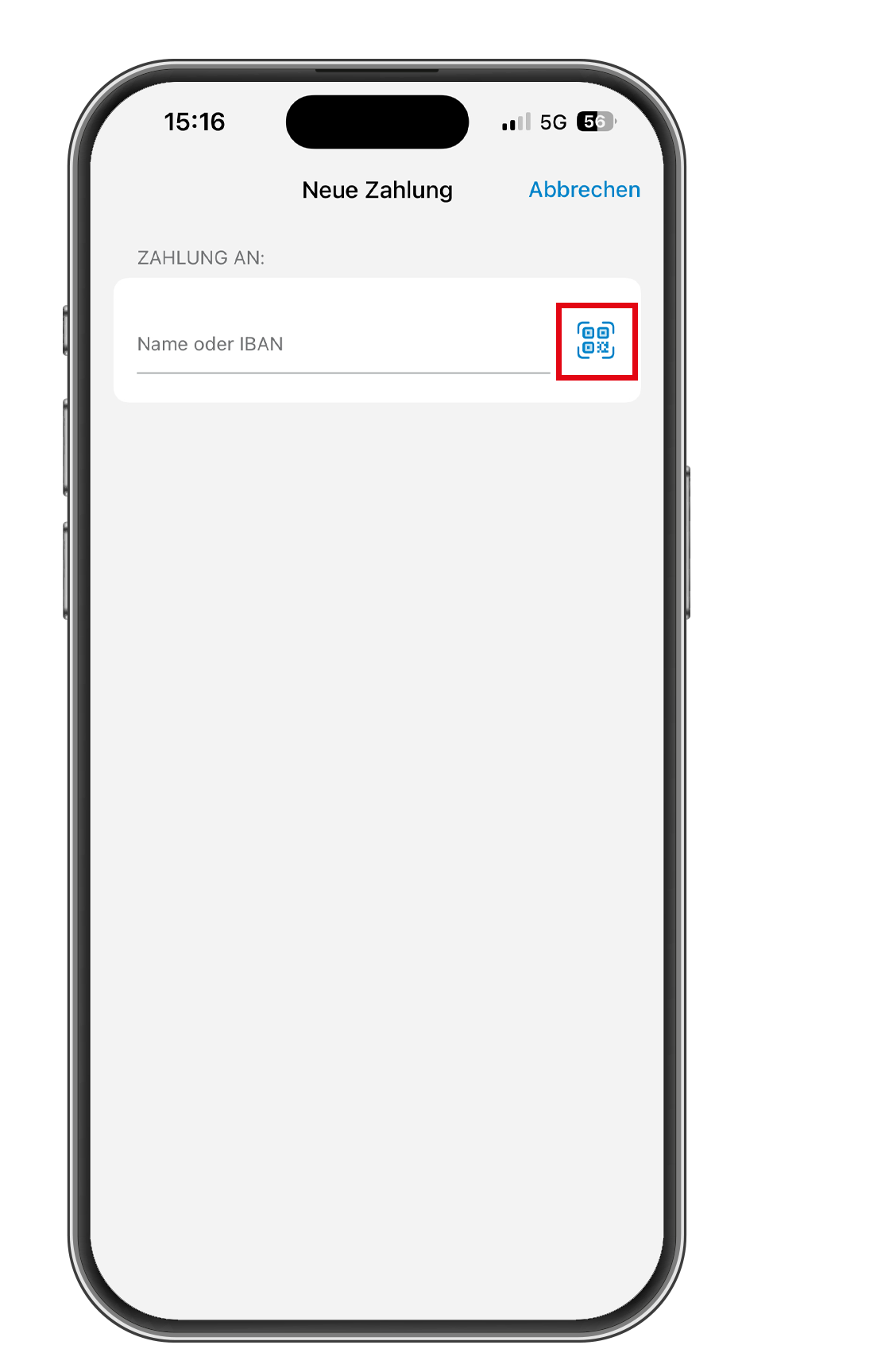
Select the scan function
Now tap on the QR code icon, which opens the scan function.
3
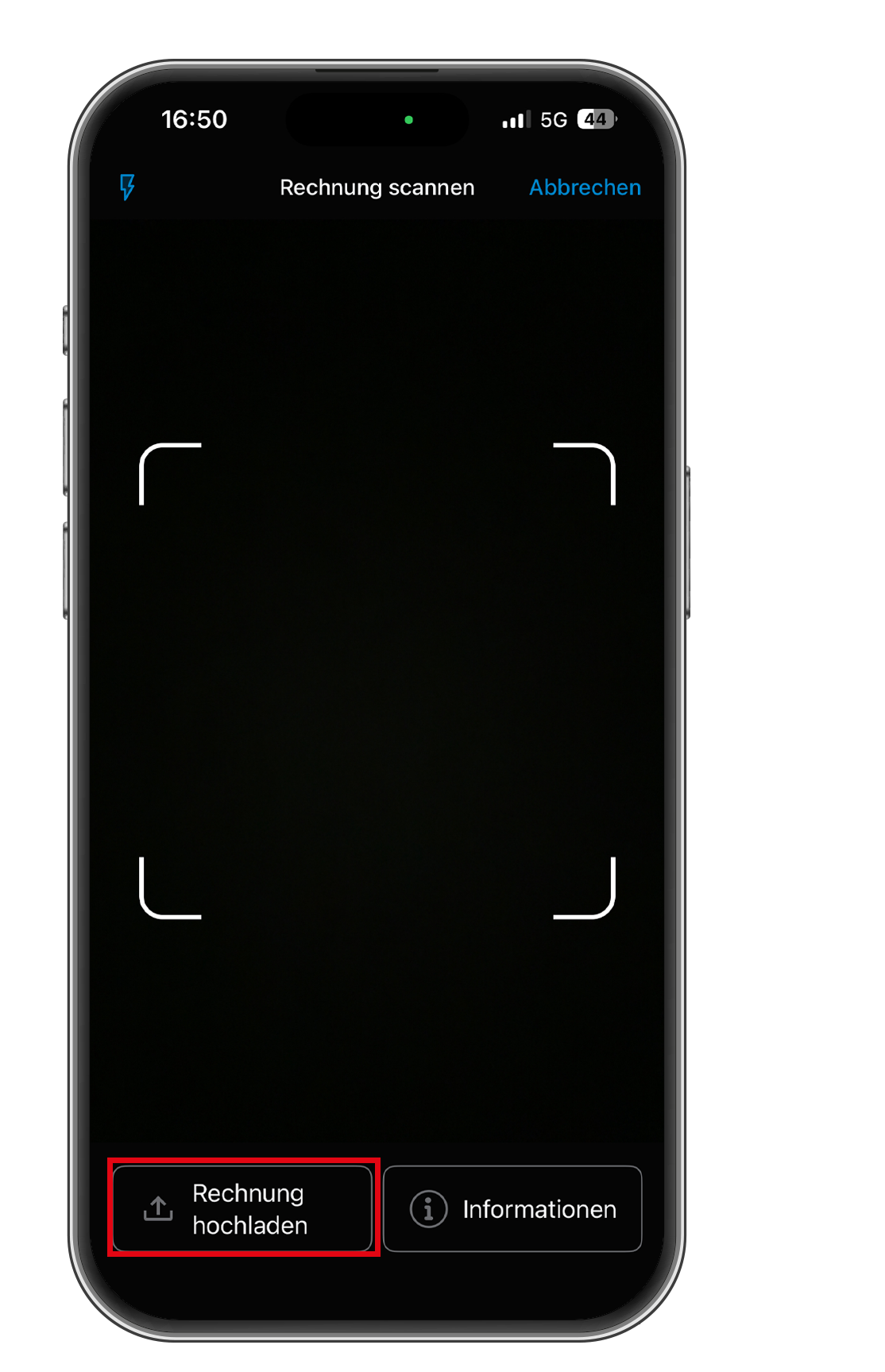
Upload invoice
Now click on “Upload invoice” and upload the PDF invoice directly to the ZugerKB Banking app.
You can then check the payment information. All data is filled in automatically. Compare it with the invoice you received and tap on “Transfer.”
Once the payment has been made, a confirmation message will appear.