Set up notifications
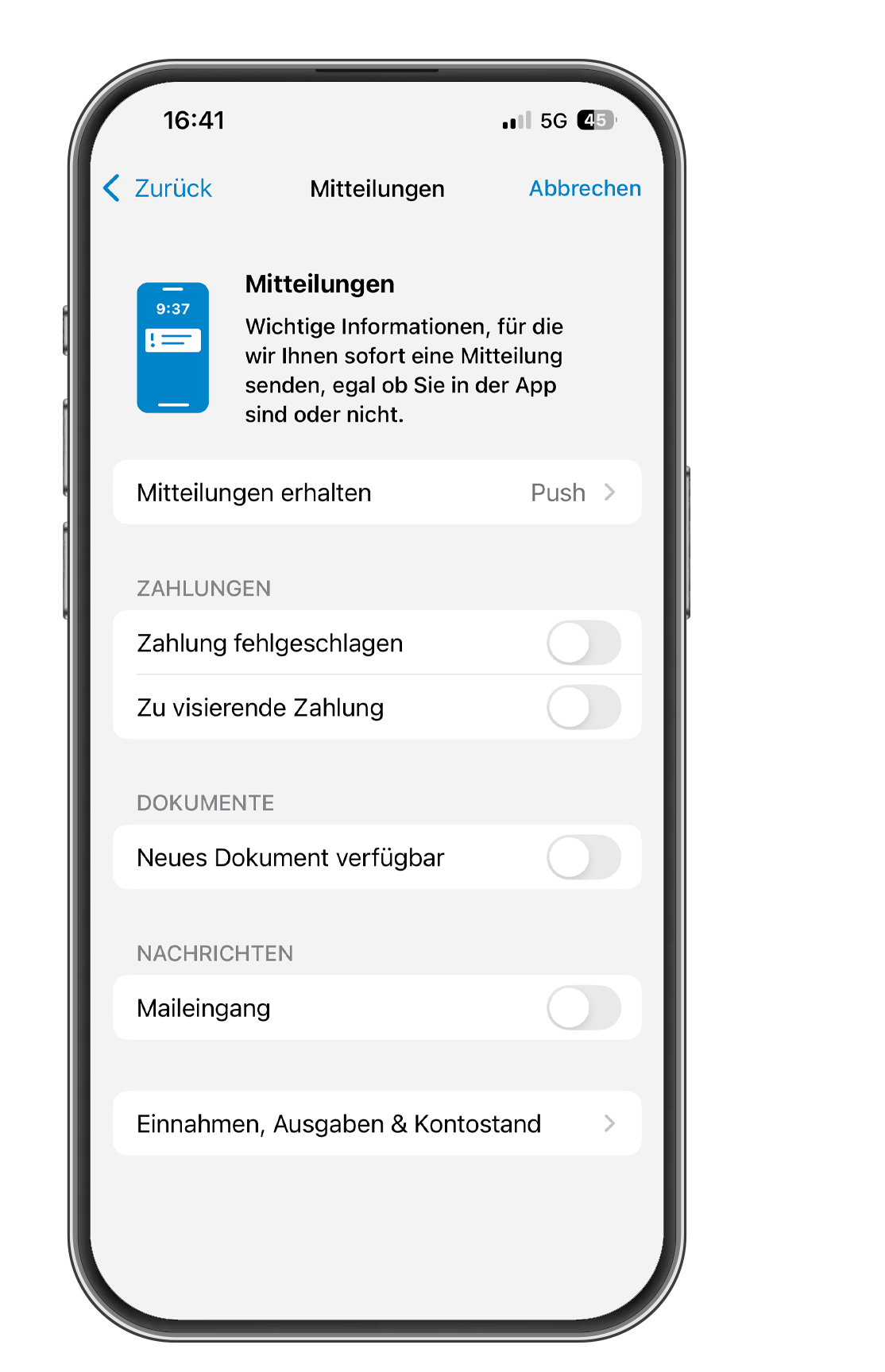
You can set up notifications in the ZugerKB Banking app. You will be notified when new documents or messages arrive or when payments are received or sent. You can also choose whether you want to receive notifications via push notification, email, or text message.
1
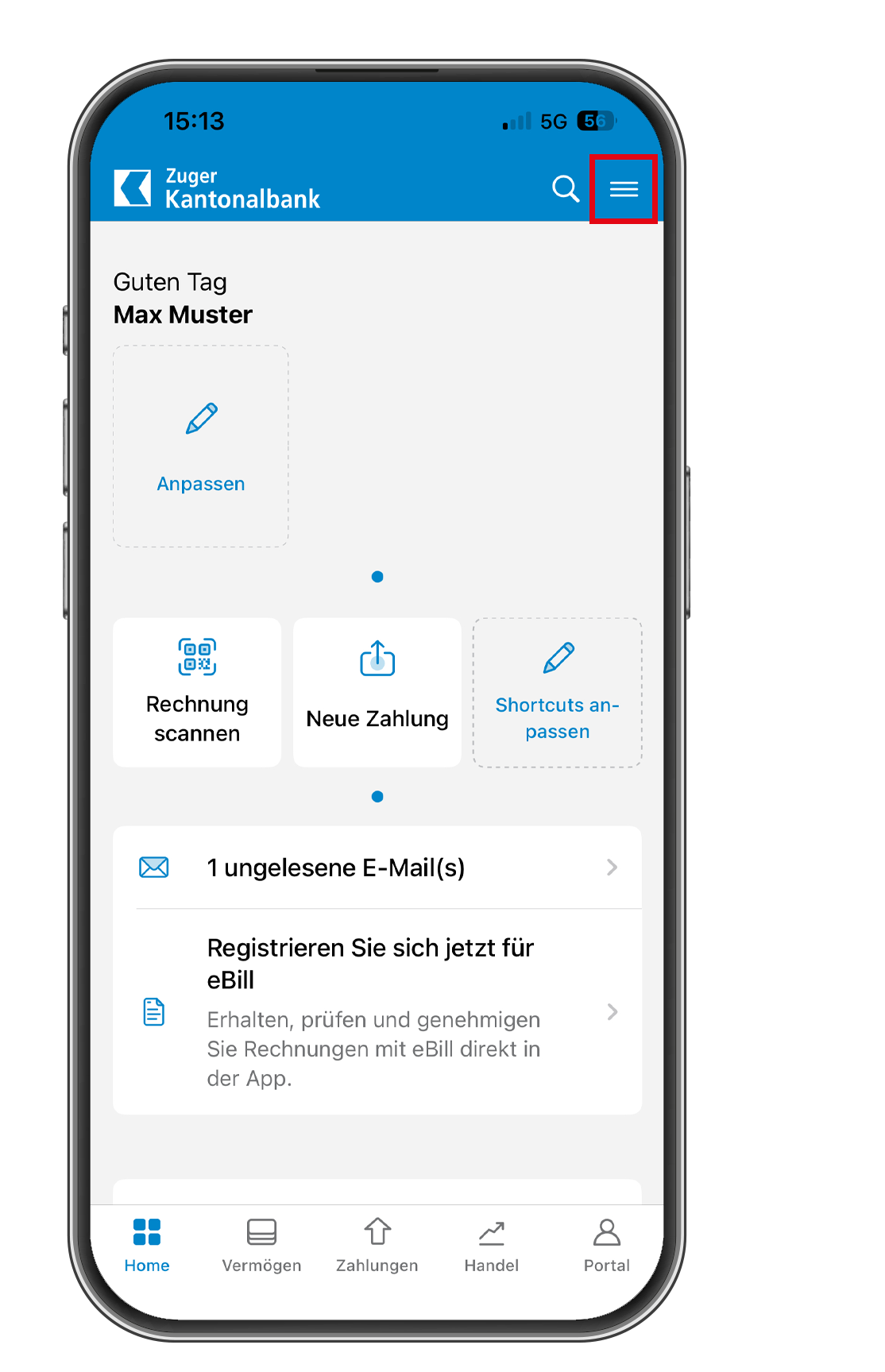
Tap the menu icon
Tap the hamburger menu in the top right corner to access the settings.
2
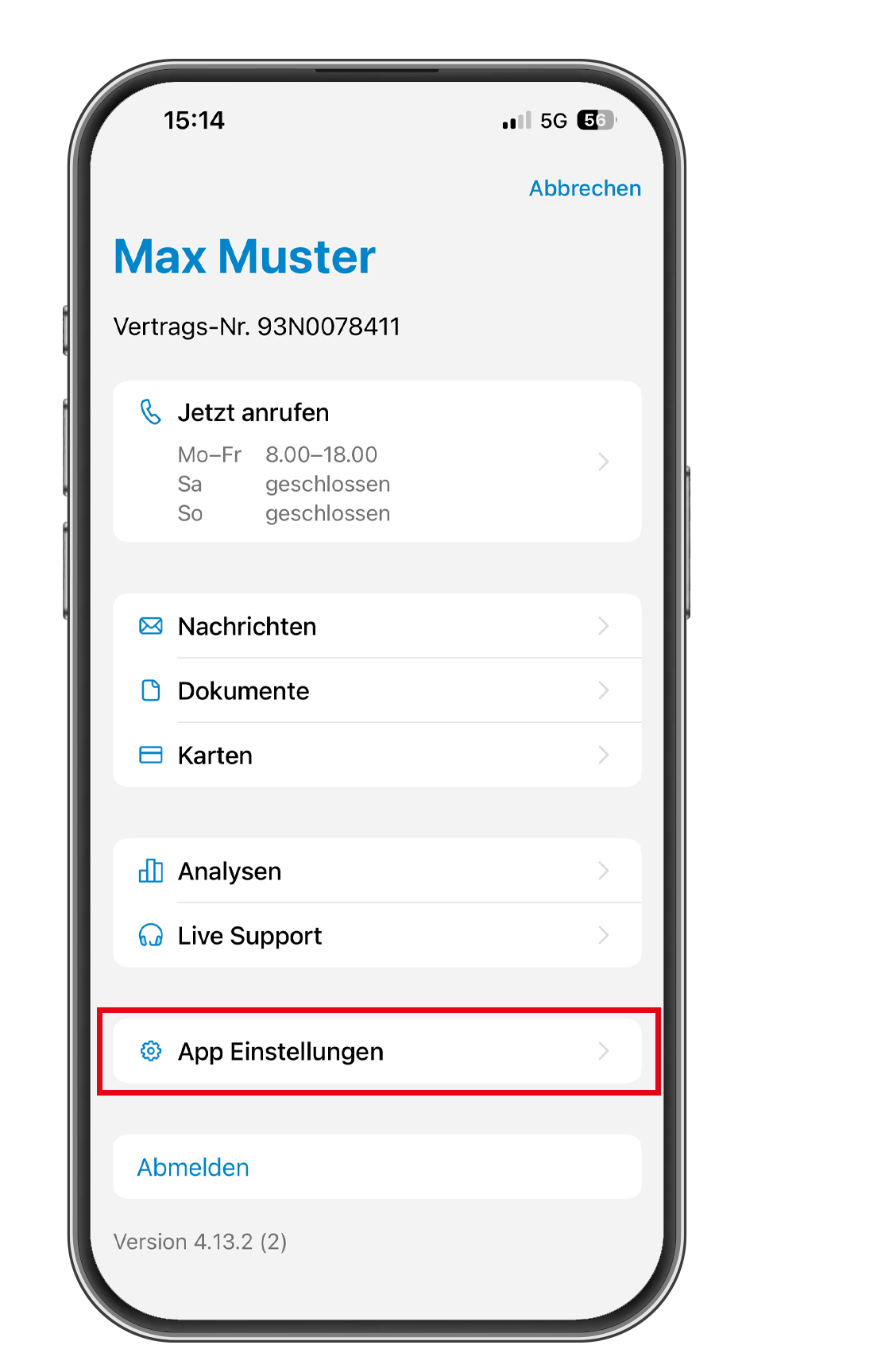
Select “App Settings”
Tap on “App Settings” to access the settings.
3
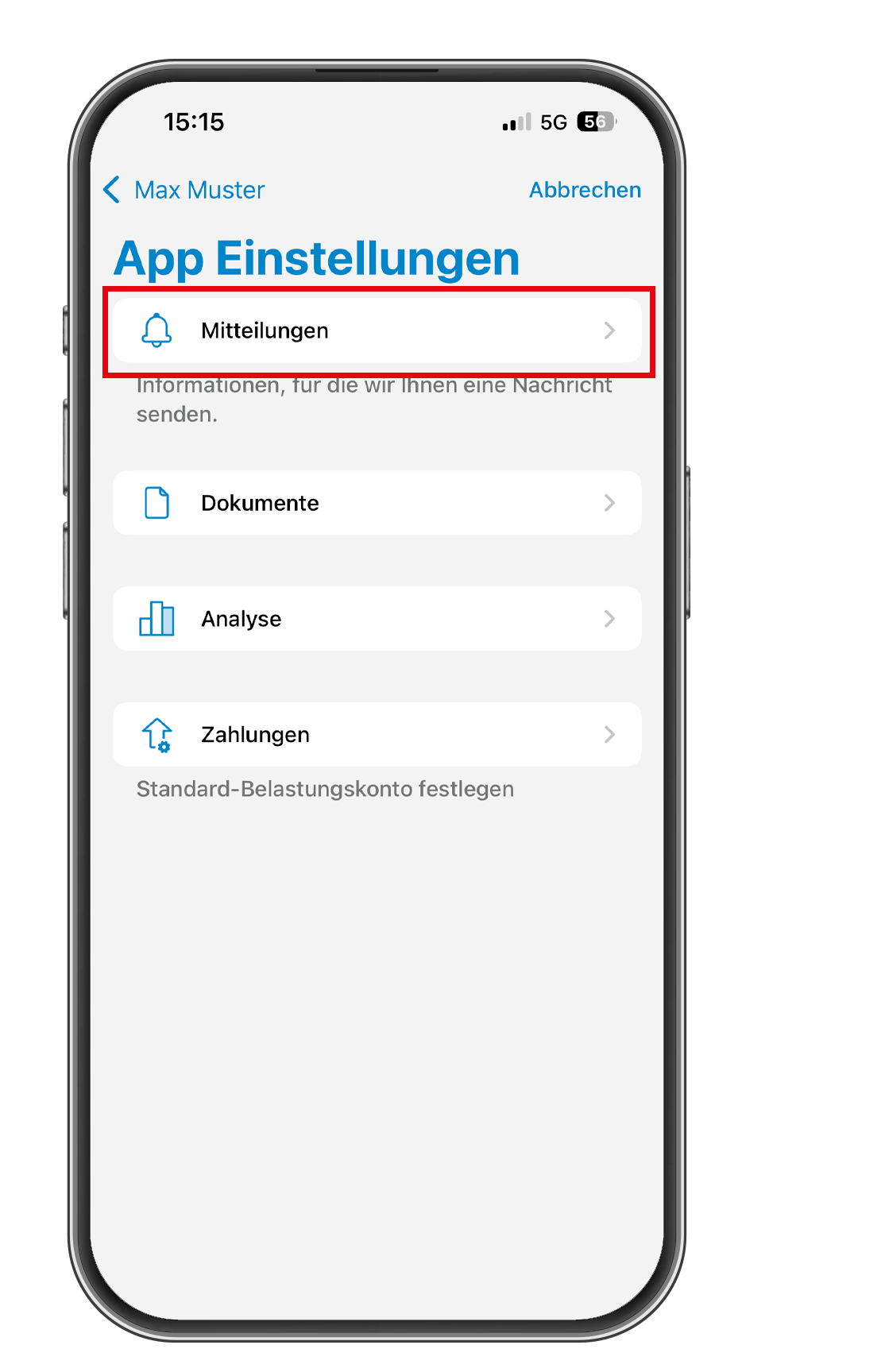
Tap on “Notifications.”
Tap on “Notifications” to access the notification settings.
4
Enable notifications
Select how and what you want to be notified about.