

Importing your eTax statement into eTax
Thanks to our eTax statement, you can import all the required bank data for your custody account into your tax return in just a few clicks.
Please follow the 6 steps below to upload the eTax statement.
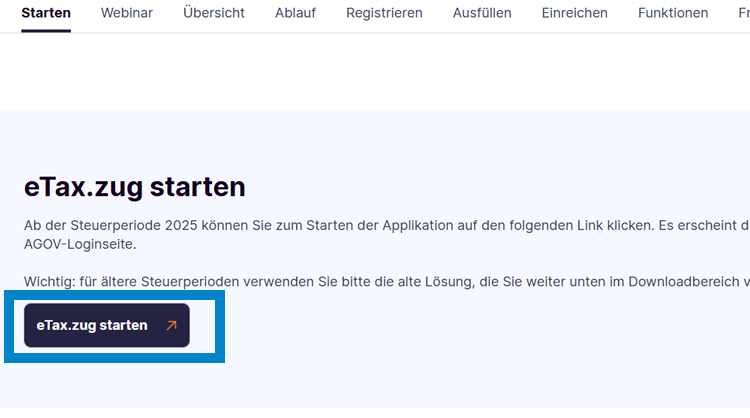
Step 1: Open “eTax.zug”
Open the website zg.ch/etax and click the “Start eTax.zug” button, sign in, and open the tax return.
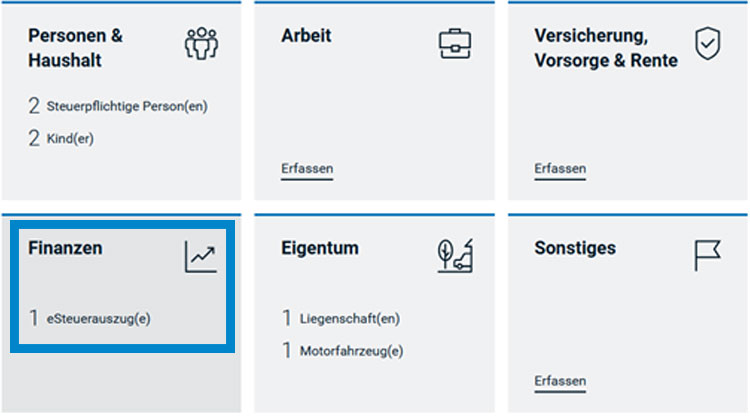
Step 2: Open “Finanzen” section
In the menu, go to “Übersicht e.Tax.zug” → “Finanzen (Erfassen)”. This is the section where you manage your financial data and electronic tax documents.
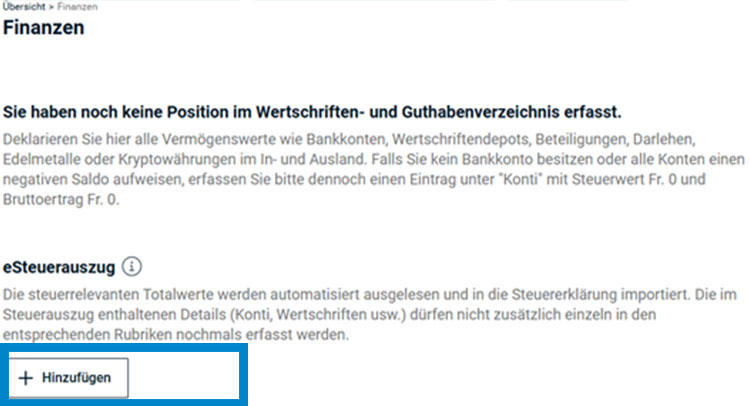
Step 3: Add eTax statement
In the “Finanzen” section, go to “eSteuerauszug”. Click on “+ Hinzufügen”. This will open the section where you upload your electronic tax statement.
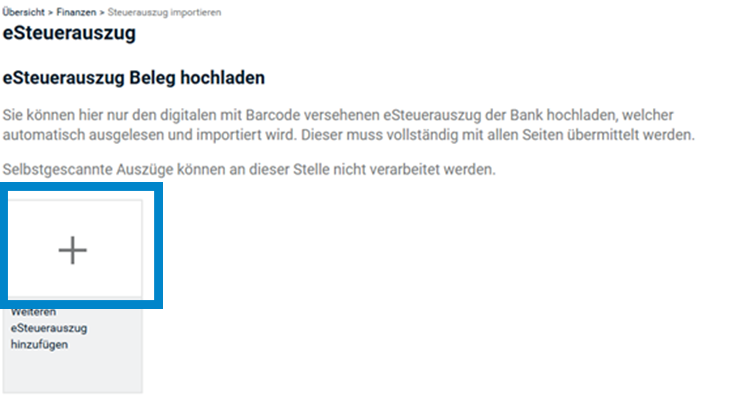
Step 4: Upload document
You will now see the “eSteuerauszug-Beleg hochladen” section. Click on the plus sign (+). This will enable you to select from the files on your computer.
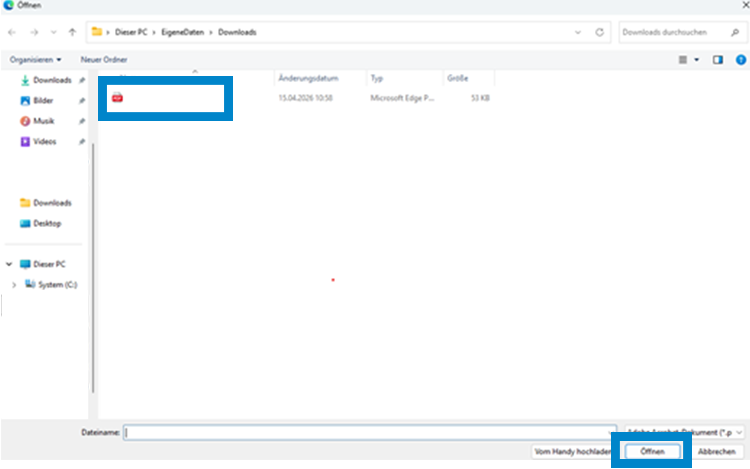
Step 5: Add files
Select the eTax statement and upload the file. Then click on “Dateien hinzufügen”.
Note: Manually scanned tax statements do not work.
Step 6: Confirm upload
Once the upload has been successfully completed, click on “Fertig”. This will confirm the uploading of your eTax statement. The tax-related data will then be copied into your tax return automatically.