Now available: the new ZugerKB Banking app
The new Banking app is here! With a fresh design, intuitive operation and many new functions, your banking experience will be even better – at any time and from any place.


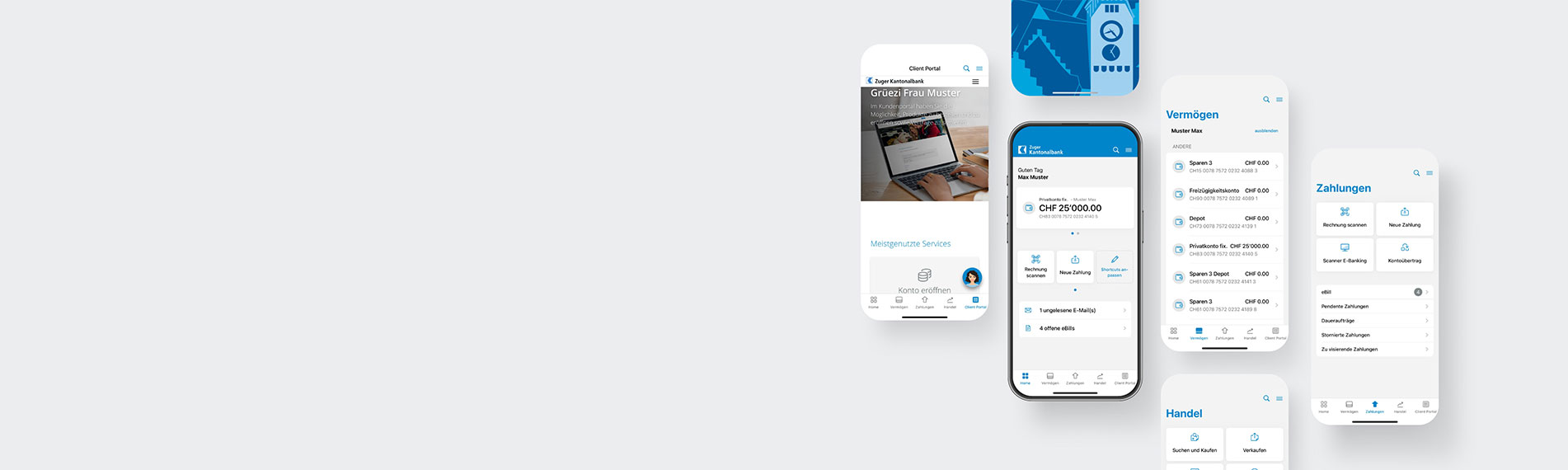
The new Banking app is here! With a fresh design, intuitive operation and many new functions, your banking experience will be even better – at any time and from any place.
Would you like to handle your banking transactions at any time and from any place, securely and easily? It's very easy with the Banking app from Zuger Kantonalbank. We’ll be pleased to explain step by step how to install, activate and use the app.

Important: To activate the new ZugerKB Banking app you need Zuger KB Access. If you don't yet use ZugerKB Access, you can find information on switching under the following link.
Here we answer your frequently asked questions on the ZugerKB Mobile Banking app.
ZugerKB’s new Mobile Banking app is being launched to give clients even simpler and more secure access to its banking services. In addition, the app meets the latest technical requirements and can therefore be more easily upgraded to incorporate additional functions.
The new app has been completely redesigned and revised in technology terms; this will be the basis for additional developments in the future. What’s more, the app works independently of E-Banking – in other words, it no longer needs to be activated within E-Banking.
If you meet the requirements for the new ZugerKB Banking app, you’ll be able to download the app from the stores, activate it and use it.
If your device doesn’t meet the requirements, you’ll receive a notification or error message during the activation process.
Please ensure your smartphone has been updated to the latest version at all times; by doing so you’ll be making an important contribution to security.
Yes, you’ll need an internet connection to use the app.
Download the new ZugerKB Banking app (blue icon with coins) from the Google Play Store or Apple App Store and follow the instructions.
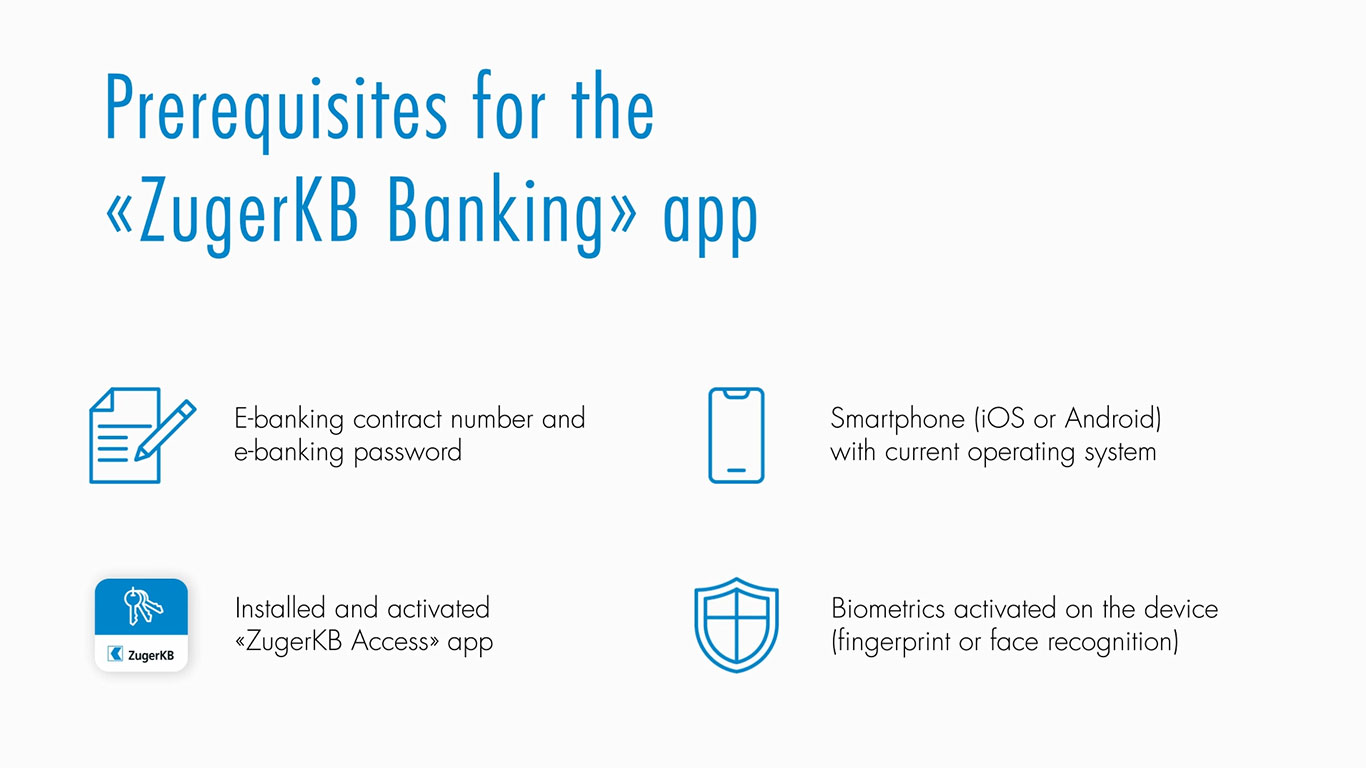
Please ensure you have your agreement number and password to hand.
To use the new ZugerKB Banking app you’ll need your access credentials including your agreement number, initial password and activation letter.
It’s quick and easy to order your personal access credentials for Mobile Banking online. The activation process can be started once you’ve received the documents in the post.
The ZugerKB Mobile Banking app can be used on iOS (minimum iOS 17) and Android (minimum Android 14) smartphones. It is not designed to be used on tablets. For security reasons, the app cannot be used on modified (“jailbroken”) operating systems.
Please ensure you have the latest operating system installed on your device at all times.
The ZugerKB Mobile Banking app is not optimised for use on tablets. If you want to carry out your banking transactions on a tablet, we recommend that you log into E-Banking via a web browser.
Yes, you can; however, payments can only be authorised if the Access app has also been activated on the device concerned.
Your E-Banking password is needed for initial activation to ensure your agreement number is correctly linked to the ZugerKB Banking app and ZugerKB Access app.
The E-Banking password will not be needed next time you use the app, as the login process will be done using biometrics.
You can add and manage additional agreements under “Contract management”. When adding a new agreement, the activation process needs to be carried out again for the new agreement and you’ll also need your E-Banking password.
The app is available free of charge in the Apple and Google stores.
Biometric authentication verifies a user’s identity using physical characteristics such as fingerprints or facial features.
You can enable biometrics on all newer smartphones (iOS and Android) in your device settings. Biometric authentication first needs to be enabled on the device; it will then be used for the Mobile Banking app.
For information on how to enable biometrics on your device, please consult your device manual or ask your device manufacturer directly.
To protect your account from unauthorised access to your smartphone, a biometric procedure is required for use of the ZugerKB Banking app. Logging in using face recognition or fingerprint guarantees the greatest degree of security and user-friendliness. Various security checks show that this login method currently offers the highest level of security.
Some manufacturers of Android devices consider fingerprint identification to be more secure than face recognition. These devices therefore require activation using fingerprint as well as face recognition.
No, that is not possible.
The app meets Zuger Kantonalbank’s high security requirements and has undergone all required security stages during its development. Our website has lots of useful tips to enable you to contribute to your own security.
Security when using E-Banking services
If you are temporarily unable to log in using biometric identification, you can alternatively log in at any time using your app PIN.
Once the new app has been activated successfully, we ask you to delete the old ZugerKB Mobile Banking app from your device.
Do you have any questions about the switch? Contact us.